See what's ahead
Check whether your balance falls below a warning line in the next 30, 60 or 90 days.
Updated October 16, 2026
Looking ahead projects the combined balance of your open on-budget accounts from today, using your schedules and the unspent part of your plan. It says whether the balance falls below a line you set.
Before you start
Looking ahead needs schedules for your regular bills and income. See Set up a recurring bill or income. Without schedules, the page shows "No schedules yet" and a Go to Schedules button. The line is then built from the plan alone, with no income.
Steps
Select Reports in the sidebar (on a phone, the Reports tab), then the Looking ahead card.
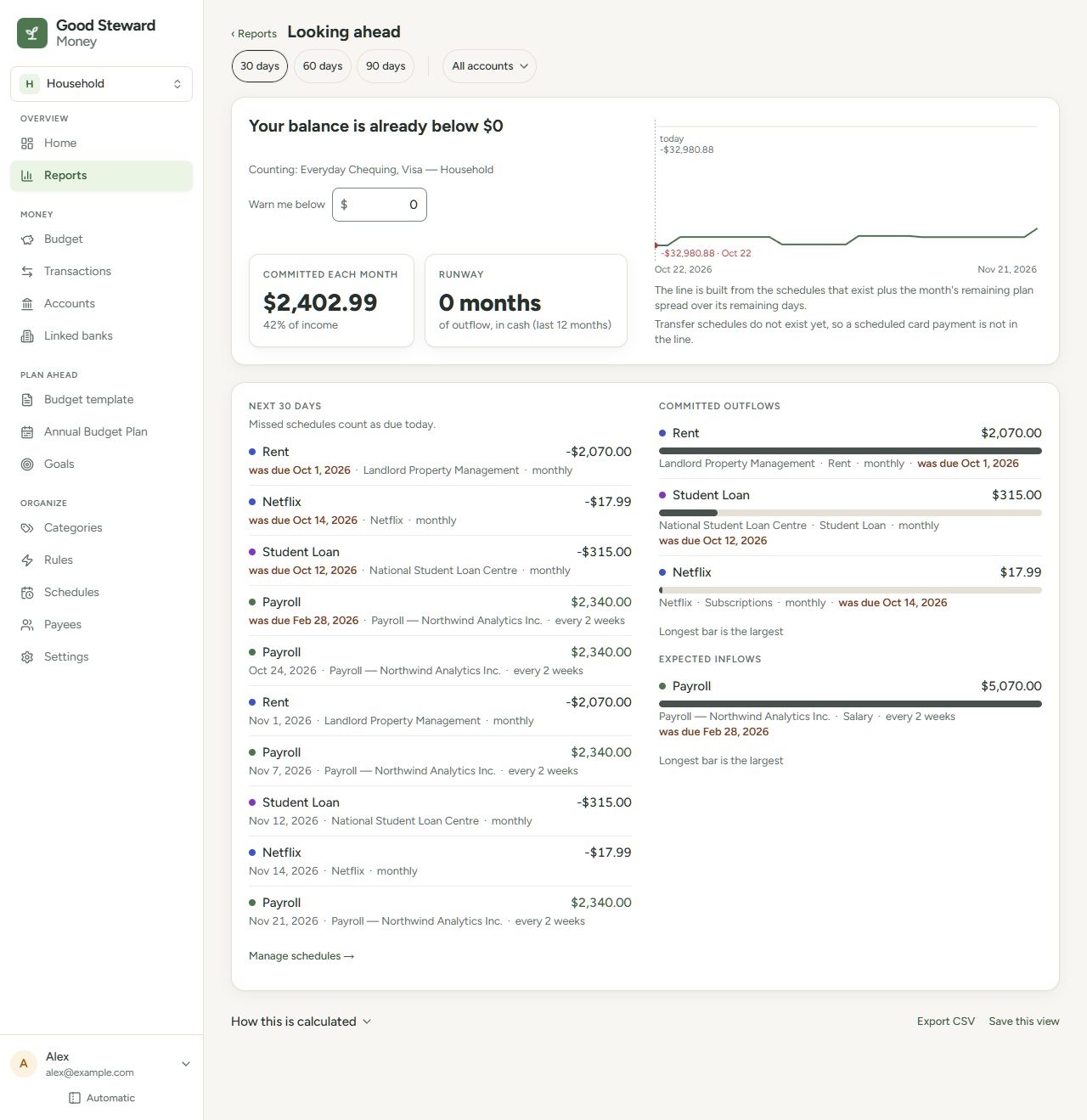
- Read the sentence at the top, such as "Your balance stays above $0 through Nov 6" or "Your balance falls below $500 on Oct 21, to $310". If you are already under the line, it says so and, when the balance falls further, gives the lowest amount in the period and the date it reaches it. With one account chosen, it names the account.
- Select 30 days, 60 days or 90 days to change how far ahead the line goes.
- Enter a dollar amount in Warn me below, such as 2,200 or 2,200.50, then press Enter. The default is $0. The sentence uses your amount, and a dashed red line marks it on the chart when it is above $0. An entry that isn't a dollar amount resets to $0.
- To count some accounts only, select the accounts chip, choose the accounts and select Apply.
- Select a row in either list to open that schedule, or select Manage schedules → to open the Schedules page.
Read the page
- Chart: a dashed vertical line marks today, with today's balance. A dot marks the lowest point with its amount and date. The line changes on each schedule's due date. The unspent part of each month's plan is spread evenly over the month's remaining days. A later month with no plan uses the month before. Schedules can't be transfers, so a card payment made as a transfer is not in the line.
- Committed each month: the monthly total of your outflow schedules, and its share of your average monthly income over the last 12 finished months.
- Runway: how many months the balance of the accounts counted would last at your average monthly outflow over the last 12 finished months. Saving is not counted as outflow.
- Next 30 days: every item due in the next 30 days, whichever horizon you chose. A missed schedule counts as due today and shows "was due" with its date.
- Commitments: Committed outflows and Expected inflows, ranked by monthly amount. Each schedule is converted to a monthly amount (weekly × 52 ÷ 12, yearly ÷ 12). A schedule in a hidden category shows a small hidden label after the category name.
The accounts you choose change the chart, Next 30 days and Runway. With accounts chosen, the chart also uses only their usual share of the plan. Commitments and Committed each month always cover every schedule.
On a smaller screen or a phone, Next 30 days and Commitments are tabs.